
Starting your online store is thrilling! You’ve chosen your products, set up your website, and are ready for your first sale. But how do you actually get paid? This is where a payment gateway comes in. Think of it as the digital version of a card reader in a physical store, it securely captures your customer’s payment details and transfers the money to your bank account. Choosing the best payment gateway for small business is a critical decision that affects your cash flow, customer trust, and daily operations.
This guide cuts through the complexity. We’ll compare top providers, explain the fees in plain English, and share essential tips to protect your new business from fraud, all to help you make an informed choice.
What to Look For in a Payment Gateway
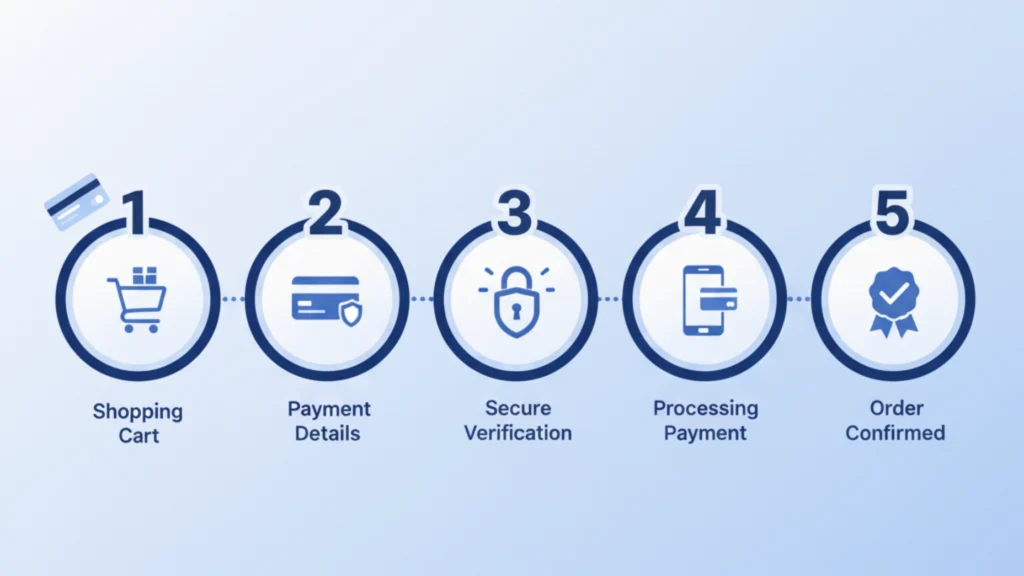
Before we dive into specific providers, let’s outline what makes a payment gateway a good fit for a budding entrepreneur. The best payment gateway for small business will strike a balance between cost, simplicity, and security.
Key factors to consider:
- Transaction Fees: This is usually a percentage + a fixed fee for each sale. This is your most important cost.
- Monthly Fees: Some charge a monthly subscription; others don’t.
- Setup & Integration: How easy is it to connect to your website (like Shopify, WooCommerce, etc.)?
- Contract Terms: Avoid long-term contracts when you’re just starting.
- Security & Fraud Prevention: Built-in tools are non-negotiable for protecting your revenue.
Comparing Top Payment Gateways for New Stores
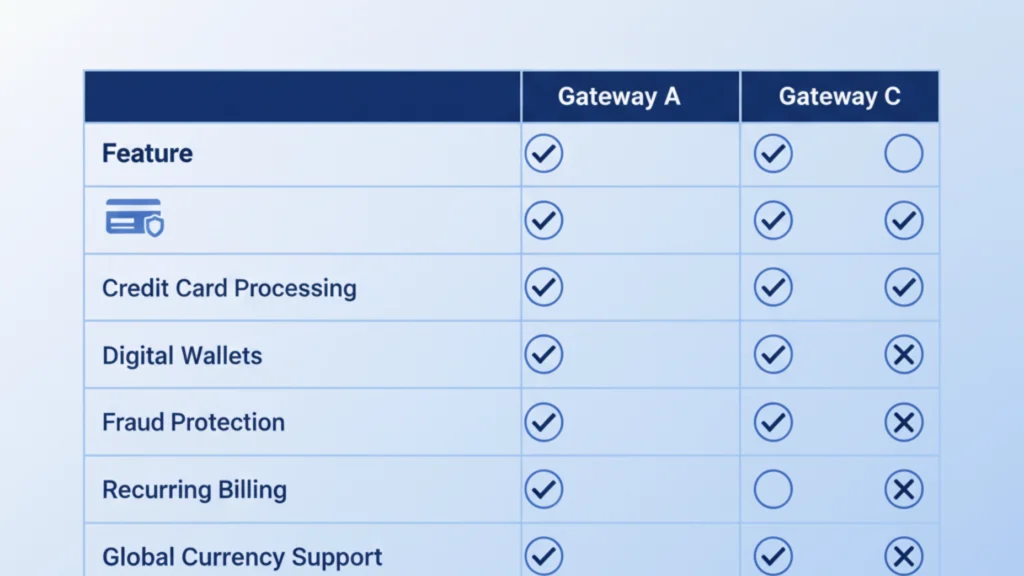
Here’s a straightforward comparison of some of the most popular and beginner-friendly payment gateways on the market.
Stripe: The Developer’s Favorite (But Great for Everyone)
If your store is built on a flexible platform and you anticipate a lot of online-only sales, Stripe is a powerhouse worth considering. It is known for its robust API, but its pre-built integrations make it accessible for non-developers too.
Stripe is a leader in the payment processing space. It is incredibly powerful and is often hailed as the best payment gateway for small business owners who want deep customization and a wide array of features. It seamlessly handles everything from one-time payments to complex subscriptions.
- Typical Fees: Pay-as-you-go pricing at 2.9% and $0.30 per successful online transaction. No monthly fee.
- Ease of Use: The initial setup is relatively simple with major platforms. Its dashboard is clean and data-rich, though some advanced features have a learning curve.
- Fraud Tips: Stripe Radar is built-in and uses machine learning to block fraudulent transactions, learning from the billions of transactions on its network.
PayPal: The Name Everyone Trusts
For brand recognition and sheer ease of use, it’s hard to beat PayPal. Offering PayPal at checkout can significantly increase conversion rates because customers trust it and appreciate the quick checkout process.

For many new customers, seeing the PayPal button at checkout is a sign that your store is legitimate. Its one-touch checkout for returning users reduces friction and can help you recover potentially abandoned carts. It’s a fantastic secondary option, even if it’s not your primary processor.
- Typical Fees: Similar to Stripe at 2.99% and $0.49 per transaction for PayPal Checkout. There are also business account options with slightly different rates.
- Ease of Use: Extremely easy to set up and link to your business bank account. Adding a “Pay with PayPal” button to your site is a simple copy-paste job.
- Fraud Tips: PayPal Seller Protection can cover you in case of eligible fraudulent chargebacks, provided you follow the rules like shipping to the address on file.
Square: The All-in-One Solution for Hybrid Stores
Do you sell both online and at pop-up markets or a physical booth? Square is designed for you. It seamlessly merges in-person and online sales into one cohesive system.
Square started with its iconic card reader for smartphones and has expanded into a full business ecosystem. For a small business, having one system that manages your online store, in-person payments, and even inventory can be a huge time-saver. If you’re looking for a simple, unified solution, Square is a top contender for the best payment gateway for small business models that are omnichannel.
- Typical Fees: Online processing is 2.9% plus $0.30 per transaction. In-person payments are a lower, flat rate of 2.6% plus $0.10.
- Ease of Use: Square is famously user-friendly. Its point-of-sale (POS) app and online dashboard are intuitive and visually appealing.
- Fraud Tips: Square has built-in security features and dispute management tools to help you handle chargebacks.
Choosing the right payment processor is just one piece of the eCommerce puzzle. To build a truly resilient business, you need a solid foundation. Our guide on how to start a free online store will help you minimize costs and maximize profits from day one.
Essential Fraud Prevention Tips for Small Stores
As a new store owner, you are a potential target for fraud. Protecting yourself doesn’t have to be complicated. Here are some straightforward tips:
- Use a Payment Gateway with Built-in Tools: As we’ve highlighted, providers like Stripe Radar and PayPal’s protection are your first line of defense. Don’t ignore them.
- Be Wary of High-Value International Orders: Be extra cautious with large orders, especially those using a shipping address different from the billing address or coming from high-risk countries.
- Look for AVS Mismatches: Address Verification Service (AVS) checks if the billing address provided matches the one on file with the card issuer. A mismatch is a major red flag.
- Trust Your Instincts: If an order feels “off” ( like a customer rushing shipping unnecessarily), it’s okay to pause and investigate before shipping.
Making Your Final Choice
So, what is the best payment gateway for small business? The answer depends on your specific needs.
- Choose Stripe for powerful online features and customization.
- Choose PayPal for instant customer trust and high conversion rates.
- Choose Square for a simple, all-in-one system for both online and in-person sales.
The best strategy for many is to offer more than one option at checkout. Giving customers a choice can be the final nudge they need to complete their purchase.
Feeling a little overwhelmed by all these options? At Shopinbos, we help first-time sellers cut through the noise. From choosing the right payment gateway to selecting your eCommerce platform, our straightforward guides and comparisons are designed to set you up for success. Let us help you build your store on a solid foundation. Explore more of our beginner-friendly resources today!
Frequently Asked Questions (FAQs)
Can I use more than one payment gateway in my store?
Absolutely! In fact, it’s often recommended. Offering multiple payment options (like both Stripe and PayPal) can reduce checkout friction and cater to different customer preferences, potentially boosting your sales.
What’s the difference between a payment gateway and a payment processor?
This is a common point of confusion. Think of the payment gateway as the virtual terminal that securely captures the payment info. The payment processor is the service that communicates between banks to actually transfer the funds. Many modern providers, like Stripe and Square, act as both.
Are there any hidden fees I should watch out for?
Always read the fine print. Look for fees like chargeback fees (when a customer disputes a charge), monthly minimums, or fees for using an international card. The providers listed here are generally transparent, but it’s good practice to know your agreement.
What is the easiest payment gateway to set up for a complete beginner?
For sheer simplicity, PayPal is often the easiest. Creating an account and adding a button to your site is a very straightforward process. Square is also renowned for its user-friendly setup, especially if you’re using its own POS system.