
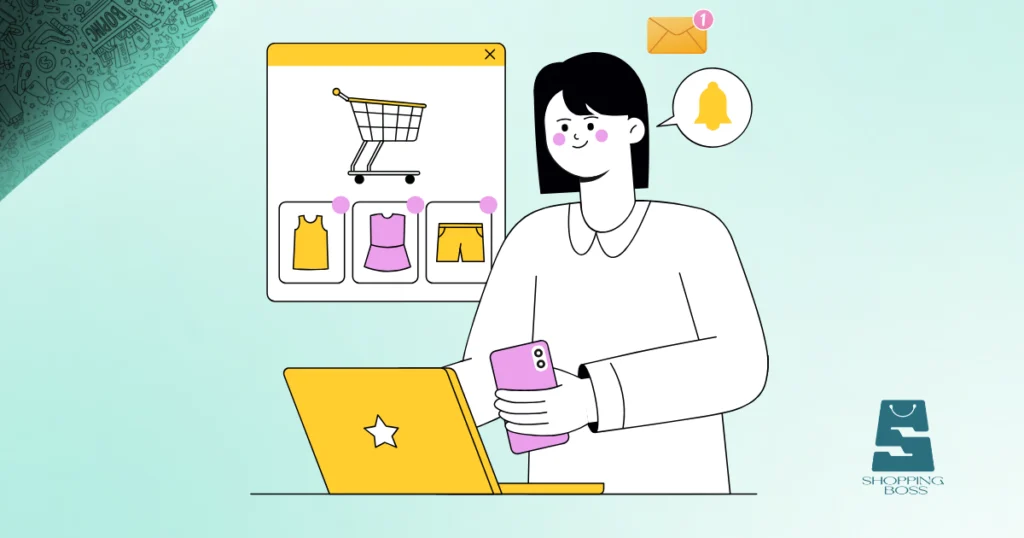
Picture this: A customer adds items to their cart, gets distracted, and leaves your store without buying. Sounds painfully familiar, right? Studies show that nearly 70% of online shopping carts are abandoned before checkout. But here’s the good news, you can win many of those sales back with abandoned cart recovery.
If you’re new to eCommerce, setting up cart recovery might sound technical or complicated. It’s not. In this guide, we’ll walk you through everything you need to know about abandoned cart recovery, from understanding why it matters to implementing strategies that actually work.
What Is Abandoned Cart Recovery?
To help you better understand, let’s clarify what we’re talking about. Abandoned cart recovery is the process of reconnecting with customers who added products to their shopping cart but left without completing their purchase. This typically involves sending automated reminder emails, SMS messages, or push notifications to encourage shoppers to return and finish their order.
Think of it as a gentle nudge, a friendly reminder that says, “Hey, you left something behind!”
The beauty of abandoned cart recovery is that you’re reaching out to people who’ve already shown interest in your products. They’re warm leads, not cold prospects, which means they’re more likely to convert with the right approach.
Why Does Cart Abandonment Happen?
Understanding why customers abandon carts helps you create better recovery strategies. Here are the most common reasons:
- Unexpected shipping costs that appear at checkout
- Complicated checkout processes with too many steps
- Just browsing without immediate purchase intent
- Security concerns about payment information
- Better prices found elsewhere during comparison shopping
- Technical issues or slow loading times
Knowing these triggers allows you to address concerns in your abandoned cart emails and improve your overall checkout experience.
Setting Up Your Abandoned Cart Recovery System
Now let’s get practical. Here’s how to set up abandoned cart recovery even if you’ve never done it before.
Step 1: Choose Your Recovery Tool
The first step is selecting software that automates your cart recovery efforts. Most major eCommerce platforms have built-in features or recommended apps:
- Shopify offers native abandoned cart emails and integrates with apps like Klaviyo or Omnisend
- WooCommerce works well with plugins like CartBounty or Mailchimp
- BigCommerce has built-in recovery tools plus third-party options
- Wix includes automated cart recovery in its eCommerce plans
Look for tools that offer email automation, easy customization, and analytics so you can track what’s working. At Shopinbos, we regularly review tools that simplify eCommerce management for beginners, helping you choose solutions that match your budget and technical skill level.
Step 2: Create Your Email Sequence
The heart of abandoned cart recovery is your email sequence. Research shows that sending multiple emails (usually 2-3) performs better than sending just one.
Email #1: The Gentle Reminder (1 hour after abandonment)
This first message should be simple and friendly. Remind customers what they left behind with product images and a clear call-to-action button to return to their cart.
Email #2: The Value Reinforcement (24 hours later)
Highlight why your product is worth coming back for. Include customer reviews, unique selling points, or answer common objections like shipping times or return policies.
Email #3: The Final Nudge (48-72 hours later)
This is your last chance. Many stores offer a small discount (5-10%) or free shipping to close the deal. Only use incentives if necessary, you don’t want to train customers to abandon carts just to get discounts.
Step 3: Craft Compelling Message Content
Your abandoned cart emails need to stand out in crowded inboxes. Here’s what works:
- Subject lines that grab attention: “Did you forget something?” or “Your cart is waiting!”
- Personalization: Use the customer’s name and show the exact products they left behind
- Clear product images: Visual reminders are powerful
- Prominent call-to-action: Make the “Complete Your Purchase” button impossible to miss
- Urgency elements: “Limited stock” or “Sale ends soon” (only if true)
- Mobile optimization: Most people check email on phones
Remember, your tone should match your brand. If you’re a fun, casual brand, keep your emails light and conversational. For luxury products, maintain a more refined approach.
Step 4: Optimize Your Timing
When you send your abandoned cart recovery messages matter almost as much as what you say. The sweet spot for the first email is usually within 1-3 hours of abandonment, while the customer still remembers your store.
Subsequent emails should space out over the next few days. Avoid bombarding customers, nobody likes spam, and it damages your brand reputation.
Step 5: Test and Refine Your Strategy
Cart recovery isn’t a “set it and forget it” system. Monitor your metrics regularly:
- Open rates: Are people reading your emails?
- Click-through rates: Are they clicking back to your store?
- Conversion rates: Are they actually completing purchases?
- Revenue recovered: What’s the dollar impact?
Run A/B tests on subject lines, send times, discount offers, and email copy. Small tweaks can lead to significant improvements in recovery rates.
Beyond Email: Multi-Channel Cart Recovery
While email is the foundation of abandoned cart recovery, don’t limit yourself to just one channel.
SMS Recovery: Text messages have higher open rates than email. A short, personalized automated message can be incredibly effective, especially for mobile shoppers.
Retargeting Ads: Use Facebook or Google ads to show abandoned products to customers as they browse other websites. These visual reminders keep your products top-of-mind.
Push Notifications: If you have a mobile app, push notifications offer immediate, direct communication with customers who’ve enabled them.
The key is creating a cohesive experience across channels without being annoying or intrusive.
Common Mistakes to Avoid
Even with the best intentions, beginners often make these cart recovery mistakes:
- Sending too many emails: Three is usually the maximum
- Being too pushy: Aggressive sales language turns people off
- Offering discounts too quickly: Train customers to wait for deals
- Ignoring mobile users: Test your emails on smartphones
- Forgetting to segment: High-value carts deserve different treatment than low-value ones
- Not addressing concerns: If shipping costs caused abandonment, mention free shipping options
Avoid these pitfalls, and your abandoned cart recovery system will perform much better.
Final Thoughts
Setting up abandoned cart recovery doesn’t require advanced technical skills or a massive budget. With the right tools and strategies, even complete beginners can implement systems that recover thousands of dollars in lost sales.
Start simple: Choose a user-friendly tool, create a basic email sequence, and refine your approach based on real results. Every cart you recover is revenue that would have otherwise disappeared and that adds up quickly.
Remember, cart abandonment will always happen. The question is whether you’ll take action to win those customers back.
Ready to boost your sales and stop losing customers at checkout? Start implementing these strategies today, and watch your conversion rates climb.
FAQs
What is the average abandoned cart recovery rate?
The average recovery rate ranges from 5-15%, meaning you can expect to recover roughly one out of every ten abandoned carts with a well-executed email strategy. Some stores achieve higher rates by combining email with retargeting and SMS.
How many abandoned cart emails should I send?
Most successful eCommerce stores send 2-3 abandoned cart emails. The first reminder goes out within 1-3 hours, followed by additional emails at 24 hours and 48-72 hours after abandonment. More than three emails typically yields diminishing returns.
Do I need customer email addresses to use abandoned cart recovery?
Yes, customers must provide their email address during the checkout process for you to send cart recovery emails. Many platforms capture emails early in checkout, even if the customer doesn’t complete the purchase. Guest checkout can limit your recovery opportunities.
Should I offer discounts in my abandoned cart emails?
Discounts can boost recovery rates but use them strategically. Consider saving discount offers for your final email in the sequence or for high-value carts. Overusing discounts may train customers to abandon carts intentionally to receive promotions, which hurts your profit margins.