

You’ve spent weeks building your online store, choosing products, and designing the perfect layout. But before you hit that launch button, there’s just one or ten things to do to ensure your store is truly ready for the customers and sales you’re about to start getting and this is ticking off your website launch checklist.
Launching without proper preparation is like opening a physical shop with broken lights and no price tags. That’s why having a comprehensive website launch checklist is essential for every first-time seller. This guide walks you through ten must-complete tasks that make you more confident about hitting that “launch” button!
1. Test Your Checkout Process From Start to Finish
Your checkout process is where browsers become buyers or abandon their carts in frustration. This critical part of your website launch checklist prevents the nightmare scenario where customers can’t actually buy from you.
Complete test orders using different payment methods, verify confirmation emails arrive promptly, and test the checkout flow on mobile devices where most shoppers browse. Check that discount codes work, shipping calculations are accurate, and inventory adjusts automatically.
Many new store owners discover broken checkout flows only after real customers complain. At Shopinbos, we provide detailed guides on optimizing your checkout experience to maximize conversions from day one.
2. Review All Product Listings for Accuracy and Appeal
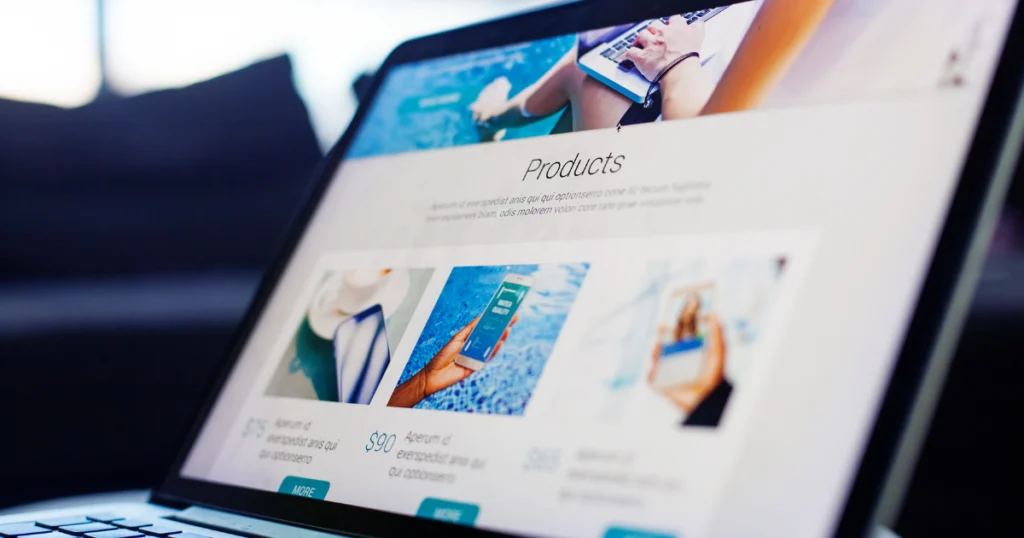
Your product pages are digital salespeople working around the clock. Each listing on your online store checklist deserves careful scrutiny before launch day.
Product listing essentials:
- High-quality images (at least 1000px wide for zoom functionality)
- Clear, benefit-focused product descriptions explaining why customers need this product
- Accurate pricing with no placeholder text
- Proper categorization and tags for easy navigation
- SEO-optimized titles and descriptions
Small mistakes multiply across your catalog. A single typo in pricing or shipping weight can cost you money or customer trust.
3. Set Up Website Analytics and Tracking Tools
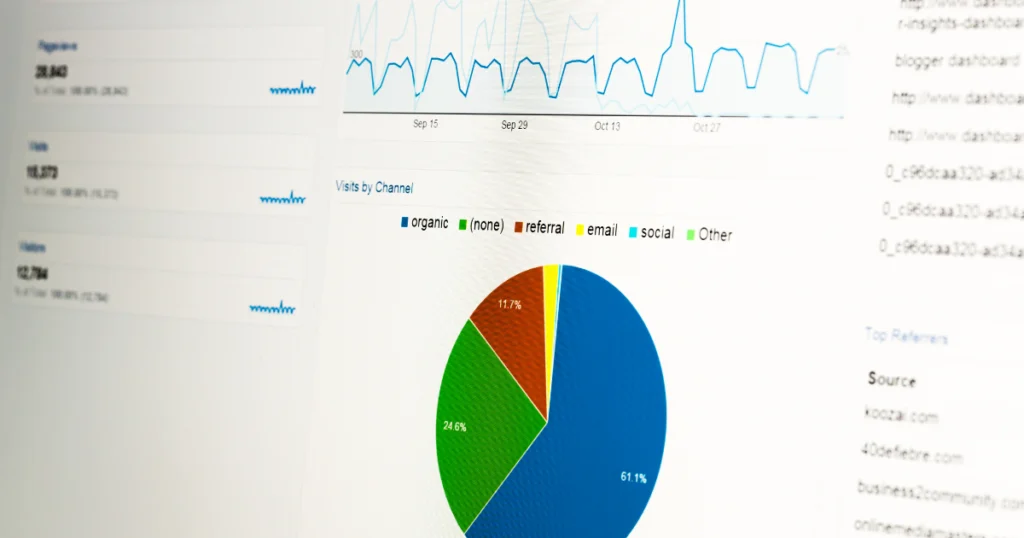
You can’t improve what you don’t measure. Before your store goes live, establish tracking systems that tell you how visitors find you and where you’re losing potential customers.
Installing Google Analytics 4 should top your pre-launch website checklist. This free tool shows which marketing efforts work, which pages need improvement, and how customers navigate your store. Pair it with Google Search Console to understand how your store appears in search results.
Also set up conversion tracking pixels, heat mapping tools, cart abandonment tracking, and email marketing integrations. Getting these systems running from day one gives you complete data from your store’s first sale onward.
4. Verify Mobile Responsiveness Across Multiple Devices
More than half of all online shopping happens on smartphones. If your store looks broken on mobile devices, you’re turning away the majority of potential customers.
Testing mobile responsiveness goes beyond checking your phone. Your store launch checklist should include testing on various screen sizes, navigation menus that work on touchscreens, product images that load quickly, text that’s readable without zooming, and buttons large enough to tap easily.
Many website builders include responsive design automatically, but customizations can break mobile layouts. Use browser developer tools to simulate different devices, and test on actual phones when possible.
5. Double-Check Your Legal Pages and Policies
Nothing kills customer confidence faster than missing legal pages. Your eCommerce website needs clear, comprehensive policies that protect both you and your customers.
Legal page must-haves:
- Privacy policy compliant with GDPR and data protection laws
- Terms of service protecting your business interests
- Shipping policy with realistic timeframes and costs
- Return and refund policy that’s fair but sustainable
- Easy-to-find contact information
Many platforms offer free policy generators, but review and customize them for your specific business. This website launch checklist item isn’t exciting, but skipping it exposes you to legal risks and destroys customer trust.
6. Test Site Speed and Optimize Loading Times
Every second your store takes to load costs you sales. Research shows 53% of visitors abandon websites taking more than three seconds to load.
Use free tools like Google PageSpeed Insights to measure your store’s performance. Compress product images, enable caching, minimize apps or plugins, choose reliable hosting, and use a content delivery network for faster global access.
Page speed impacts both user experience and search engine rankings. Google explicitly uses site speed as a ranking factor, making this both a customer satisfaction issue and an SEO necessity.
7. Secure Your Store with SSL Certificates and Security Measures
Online shoppers need to trust their payment information is safe. Your eCommerce platform checklist should prioritize security measures protecting both your business and customers.
Verify your store displays “https://” and shows a padlock icon. Beyond SSL, implement strong password requirements, two-factor authentication for admin access, regular software updates, PCI compliance for credit card data, and backup systems.
Security breaches devastate small businesses. The average data breach costs small businesses nearly $3 million. Taking security seriously from day one protects your livelihood and your customers’ trust.
- Configure Email Notifications and Communication Systems
Your store will send automated emails, order confirmations, shipping notifications, password resets. Before launch, ensure these communications work flawlessly and represent your brand professionally.
Send test orders to yourself and verify every automated email arrives promptly, displays correctly, and contains accurate information. Check emails don’t land in spam folders, a common problem that causes customers to think orders failed.
Poor email communication creates unnecessary customer service headaches. Getting this right upfront saves countless hours of frustration.
9. Set Up Customer Support Channels and Help Resources
From launch day, customers will have questions. This often-overlooked part of your website launch checklist can make or break your early reputation.
Decide which support channels you’ll offer — email, live chat, phone, or social media — and ensure they’re clearly advertised. Create a FAQ page answering common questions before customers need to ask them.
Great customer support turns first-time buyers into loyal customers. Poor support drives them to competitors and negative reviews that hurt your business.
10. Create Your Post-Launch Marketing Plan
Your website launch checklist isn’t complete without a plan for attracting those first crucial customers. Building a store is only the first step, you need traffic to make sales.
Pre-launch marketing preparation:
- Social media profiles created and populated with engaging content
- Email list of interested prospects ready for launch announcement
- First blog posts published for SEO value
- Influencer or partnership outreach completed
- Paid advertising campaigns created but not yet running
Many new store owners launch and wonder why nobody visits. You need active promotion strategies ready the moment you go live.
Launch Your Store With Confidence
Completing this website launch checklist transforms your store from a hopeful project into a professional business ready to serve customers. Each task addresses a real problem that trips up new store owners and costs them sales, reputation, or both.
Take your time with each item. Test thoroughly. Launch confidently. Your future customers will appreciate the care you’ve taken to create a smooth, trustworthy shopping experience.
Frequently Asked Questions
How long before launch should I start my website checklist?
Start your website launch checklist at least two weeks before your planned go-live date. This gives you time to identify and fix problems without rushing. Complex stores may need a month or more. It’s better to delay your launch than go live with a broken store.
What’s the most commonly missed item on pre-launch checklists?
Mobile testing is the most frequently skipped task, yet it’s critical since most shopping happens on phones. New store owners check their desktop version thoroughly but never test how their store functions on actual mobile devices, leading to lost sales from mobile visitors.
Do I need all these tasks if I’m using a platform like Shopify?
Yes, even hosted platforms require comprehensive pre-launch testing. While platforms like Shopify handle technical infrastructure, you’re still responsible for your store’s content, policies, product listings, and customer experience.
Can I launch my store and fix issues later?
While technically possible, launching with known issues damages your reputation and costs sales. First impressions matter a great deal in eCommerce. Customers who have bad experiences rarely return, and negative reviews from preventable problems stick around for years.